Note
Go to the end to download the full example code.
Discrete filled contours#
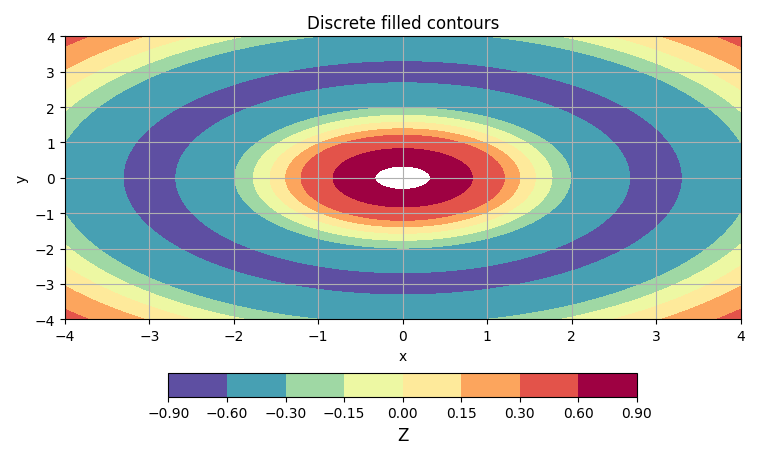
Use an explicit set of levels to control banding.
import numpy as np
import matplotlib.pyplot as plt

from emcpy.plots.plots import FilledContourPlot
from emcpy.plots.create_plots import CreatePlot, CreateFigure

x = np.linspace(-4, 4, 181)
y = np.linspace(-4, 4, 161)
X, Y = np.meshgrid(x, y)
R = np.sqrt(X**2 + Y**2)
Z = np.cos(R) * np.exp(-0.15*R)

levels = [-0.9, -0.6, -0.3, -0.15, 0.0, 0.15, 0.3, 0.6, 0.9]

p = CreatePlot()
cf = FilledContourPlot(X, Y, Z)
cf.levels = levels
cf.cmap = "Spectral_r"
p.plot_layers = [cf]

p.add_title("Discrete filled contours")
p.add_xlabel("x")
p.add_ylabel("y")
p.add_grid()
p.add_colorbar(label="Z")

fig = CreateFigure(nrows=1, ncols=1, figsize=(7.6, 4.6))
fig.plot_list = [p]
fig.create_figure()
fig.tight_layout()
plt.show()
Total running time of the script: (0 minutes 0.159 seconds)